BTHEX LIVE

Automation platform: private TradingView strategy + direct Binance execution.

View pricing
BTHEX STRATEGY ACCESS

Automate your trading with our private TradingView strategy.optimize, set alerts, execute on Binance.

A full, simple automation flow: optimizer, alerts, webhook, and execution.

You stay in control: API keys and personal webhook in your account.

  • Receive private strategy access in TradingView.
  • Use ATS Pro V2 · Optimizer in extension or web.
  • Paste your webhook in alerts and execute directly on Binance.
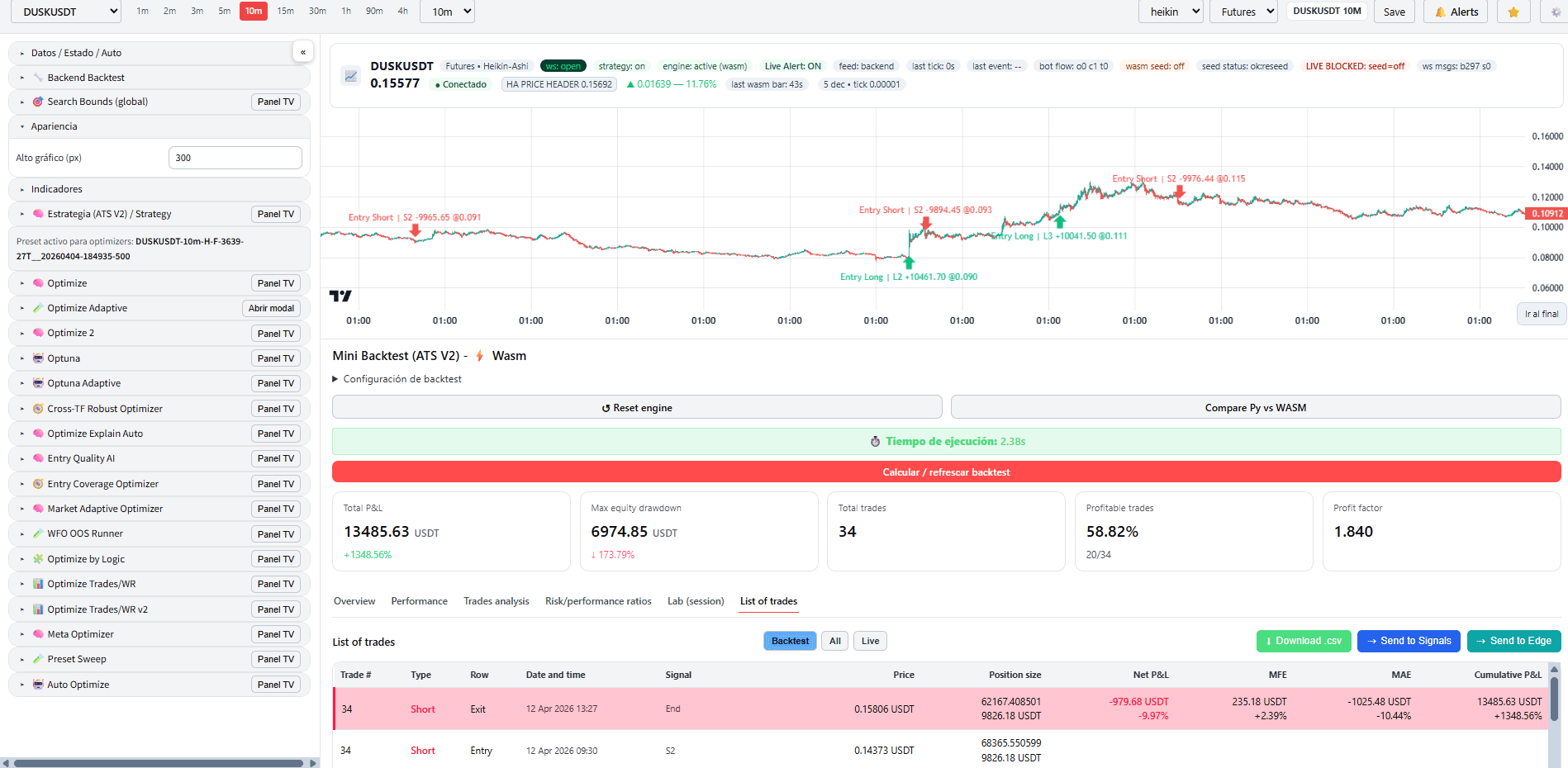
TradingView execution view
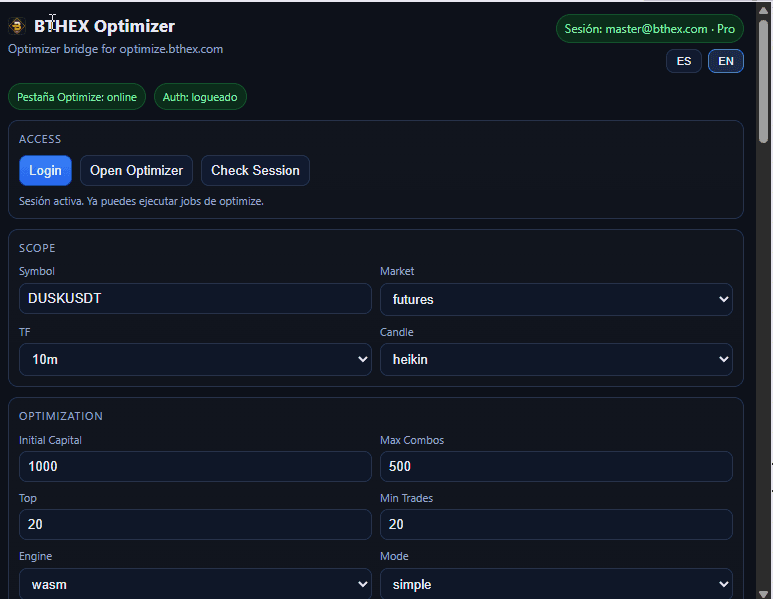
Optimization side panel
BTHEX Live Snapshot
Waiting for signal
Market status
NO LIVE POSITION
Reference price
—
Live result—
Result %—
WindowIntraday
Safety limit—
Updates automatically.
What your access includes

Automation in one place

Strategy access, optimizer, alerts, and Binance execution.

SimpleGuidedNo jargon
01

Private access

Private ATS strategy access in TradingView.

Active accessPrivate strategyTradingView
02

ATS Pro V2 · Optimizer

Tune settings in the extension or web app.

OptimizerChrome ExtensionOptimize Web
03

Account control

Binance API keys and a unique webhook per profile.

API keysUnique webhookYour control
04

Clear history

Entries and results in one simple panel.

EntriesResultsHistory

Platform coverage

Automation-suite flow: TradingView, optimizer, alerts, webhook, and Binance.

TradingView AccessOptimizerAlertsWebhookBinanceHistory

Security and control

  • Your keys are stored securely.
  • You trade from your own account with your own rules.
  • No third-party fund custody.
View security details

How to get started?

Launch App
STEP 1

Get access

Activate private access to the ATS strategy in TradingView.

STEP 2

ATS Pro V2 · Optimizer

Configure settings in the extension or at optimize.bthex.com.

STEP 3

Connect Binance

Add API keys in your account and copy your unique profile webhook.

STEP 4

Launch alerts

Paste the webhook in TradingView and execute orders on Binance.

Recommended: use demo/testnet API keys first to validate setup.

Choose your access

Activate your access to get strategy, optimizer, webhook, and history.

  • Private strategy in TradingView.
  • ATS Pro V2 · Optimizer via extension and web.
  • Unique webhook per profile to avoid collisions.
  • Entry and result history in your account.
View Pricing & Access

No third-party fund management. You stay in control.

Simple FAQ

No jargon: clear answers to get started quickly and stay in control.

What do I need to start?

A Binance account, private access to our ATS strategy in TradingView, and 5 minutes to set alerts.

Do I need coding skills?

No. It is guided: get access, tune in Optimizer, paste your webhook, done.

Who controls my funds?

Always you. Trading runs in your own Binance account with your API keys.

Can I test before live trading?

Yes. We recommend demo/testnet first to validate your full setup.

View all questions